
Free VPN by Free VPN .org™
Free VPN LLCProductivity
4.66.88K Reviews
- Version
- 4.048
- Installs
- 10.00M
- Age Rating
- Everyone
Screenshots
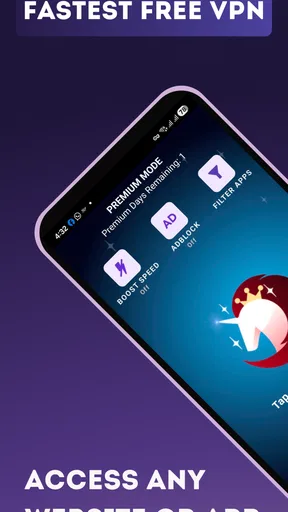
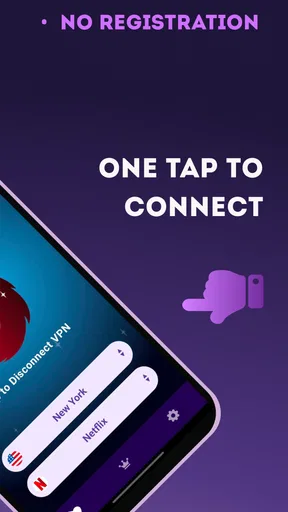
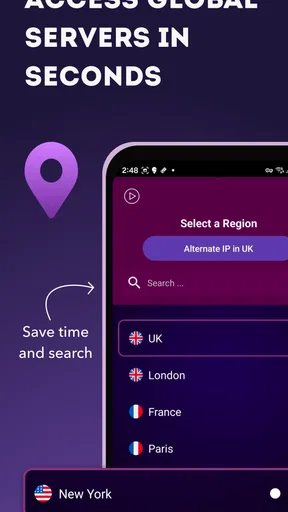
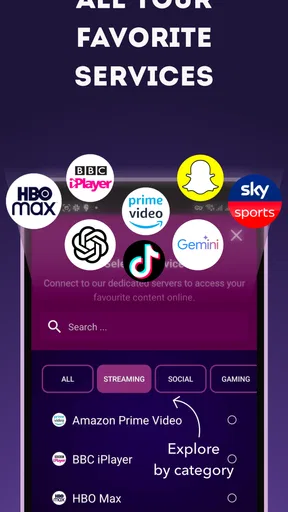
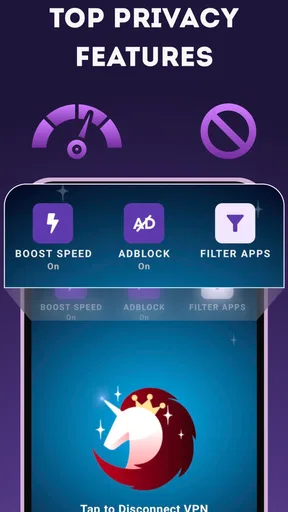
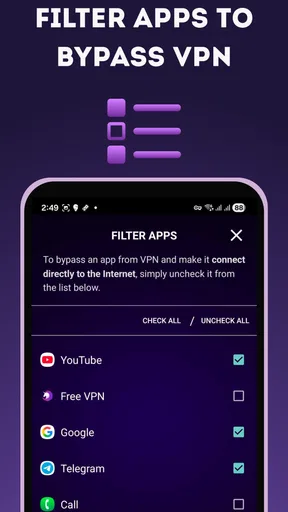
Our Review of Free VPN by Free VPN .org™
 Analysis by Appyee
I approached Free VPN as a practical privacy and connectivity tool rather than as a magic shield for every online risk. It is a free productivity app from Free VPN LLC, built for people who want to route mobile traffic through a VPN without creating an account first. After using it in ordinary situations—checking messages on public Wi-Fi, opening work services while travelling, and switching it on only when needed—I found that its biggest appeal is simplicity. You can get started quickly, and the app does not make registration the first obstacle.
That convenience also deserves a careful look. A VPN changes how your connection is routed, but it does not automatically make every website trustworthy, protect you from phishing, or replace sensible account security. My experience with Free VPN is therefore mixed in a useful way: it is approachable and easy to test, yet anyone handling confidential work, financial information, or sensitive personal data should spend time reviewing the app’s visible privacy choices and system prompts before relying on it.
What using Free VPN feels like in daily life
The app sits in the productivity category, although its job is really about managing your internet connection. The store presents it as a fast, secure, login-free VPN for work, streaming, and gaming. In practice, I found the most convincing everyday use to be short, deliberate sessions: connect before using hotel Wi-Fi, keep it active while handling routine browsing, then disconnect when the task is finished. That approach makes its purpose clear and avoids treating a VPN as something that must run blindly all day.
A realistic example is working from a café. I might connect my phone to the café network, open Free VPN, and wait for the VPN connection to become active before checking a cloud document or sending a routine message. Once I leave, I can turn the VPN off or let the phone return to its normal connection. This is more useful than installing an app and forgetting it exists, because I remain aware of when traffic is being routed through the service.
The first-run experience is friendly to people who do not want another password. A no-login design removes one common source of friction: there is no account credential to remember before testing the service. That can be especially convenient on a spare phone or a device used temporarily while travelling. At the same time, no login means I should not expect the same kind of account-based control that some paid VPN services offer, such as a central dashboard for devices, subscription management, or synchronized preferences.
Free VPN is free to install and use, which lowers the barrier to trying it. The app also includes optional in-app purchases ranging from $0.99 to $104.99 per item. That wide range makes it important to read each purchase screen carefully rather than assuming every useful function is included at no cost. I would treat the free version as a test of the connection experience, not as a promise that every possible convenience will remain free.
The app has been available since January 15, 2016, and the current version is 4.048. It works on devices running Android 6.0 or later. Those details matter if you are using an older phone: compatibility is broad enough for many still-functional devices, but a very old handset may need an operating-system check before installation. The Everyone age classification also makes it accessible to a wide audience, although younger users still benefit from an adult explaining what a VPN does and does not protect.
Where its popularity helps—and where it does not
Free VPN has an average rating of 4.6 from roughly 163 thousand ratings, with around 6.9 thousand written reviews, and it has passed 10 million installs. Those figures suggest that the app has reached a large audience and that many users find the basic experience satisfactory. I see that as useful context, not as proof that it is the best choice for every connection. A high rating can reflect easy setup and successful casual use, while a person with strict business or privacy requirements may need more detailed controls than a general audience expects.
The developer is listed as Free VPN LLC. When I evaluate a VPN, I pay closer attention to the choices shown during setup and connection than to broad words such as “secure.” I want to know what the app asks me to approve, whether the operating system displays the VPN status clearly, whether I can disconnect without hunting through menus, and whether purchase prompts are understandable. Those visible interactions give me a more practical sense of control than promotional language alone.
Controls I would check before trusting a VPN session
Android normally shows a VPN indicator when a VPN connection is active. I use that indicator as a simple habit: before opening a work service on an unfamiliar network, I confirm that the system says the VPN is connected. If the icon is missing or the app appears stuck, I do not assume protection is active. I disconnect, reconnect, and only then continue. This small routine is more reliable than leaving the app open in the background and guessing about its state.
I also check the app’s connection screen before starting a sensitive task. The important question is not merely whether a button says “connect,” but whether the interface gives me a clear connected or disconnected state. A VPN that is easy to switch off is easier to use responsibly. I do not want to remain connected accidentally when troubleshooting a banking app, a workplace network, or a local service that behaves differently when traffic is routed through a VPN.
Another practical control is deciding when not to use it. Some websites and apps react poorly to VPN traffic, and streaming availability can vary by connection. If a service refuses to load, repeatedly asks me to verify my identity, or shows unusual access warnings, I first disconnect and test the same service through my normal network. That is not a failure unique to Free VPN; it is a normal trade-off of routing traffic through a VPN. The useful point is that the app should be treated as a switch, not as a permanent requirement.
For gaming, I would be especially cautious. A VPN may help with privacy on a shared network, but routing traffic through another server can also add delay or create matchmaking and login complications. I would use it for a specific reason—such as testing access on an untrusted network—not automatically before every game. If low latency is the priority, the ordinary connection may be better.
Streaming has a similar trade-off. The store summary mentions streaming, but I would not interpret that as a guarantee that every platform will work through the VPN. Services can change their access rules, and a VPN connection may cause a service to show a different catalogue, request extra verification, or refuse playback. My advice is to test the particular service you care about during the free-use stage before paying for anything.
Privacy moments that deserve extra attention
The most sensitive moment is the first connection, because Android may display a system confirmation explaining that a VPN can observe or route network traffic. I read that prompt instead of tapping through it automatically. The wording and available choices on the device are important, and I prefer to understand what I am authorizing before connecting. A VPN provider necessarily becomes part of the path between the phone and the internet, so the decision deserves more care than installing an ordinary calculator or note-taking app.
Free VPN’s store summary emphasizes no login and no logs. Those claims are attractive because they suggest less account friction and a limited record of activity, but I still look for the app’s current privacy information and the choices presented on my device. I do not infer that “no logs” means “no data of any kind,” nor do I assume that a VPN hides every detail from every party. The app can change how traffic travels; it cannot erase information that a website collects after I sign in, and it cannot prevent me from voluntarily sharing personal details.
A useful test is to separate different kinds of activity. I am comfortable using a free VPN for general browsing on public Wi-Fi after checking its connection state. I am more cautious with medical portals, business administration, password changes, or financial transfers. For those tasks, I prefer a trusted network, current device updates, multi-factor authentication, and the official application or website. Free VPN can be part of that safety routine, but it should not be the only layer.
I also avoid treating the app as protection from malicious links. If a message asks me to log in through an unfamiliar page, the VPN does not make that page legitimate. I still check the domain, avoid entering credentials from a suspicious message, and use a password manager or another trusted route where appropriate. This is one of the most important distinctions I would explain to a friend: encrypted routing and website trust are separate questions.
Notifications and purchase screens are another data-sensitive area. I read what the app asks me to accept, especially if a prompt concerns personalization, advertising, or an optional upgrade. Because the app is free but offers in-app purchases, I would enable purchase authentication on the device and avoid tapping a large confirmation button without checking the item and billing terms. The listed purchase range reaches from $0.99 to $104.99 per item, so careful confirmation is not an overreaction.
How much control does the user really have?
The strongest form of user agency here is the ability to choose when to connect. I recommend creating a simple personal rule: use Free VPN on public or shared networks, disconnect when a service needs a normal connection, and review the status before doing anything sensitive. This gives the app a defined job and prevents the common mistake of assuming that “connected” means “anonymous everywhere.”
I would also keep the operating system and the app current. The minimum requirement is Android 6.0, and the current version is 4.048, but compatibility alone does not guarantee that an older phone has modern security updates. If a device is no longer receiving system patches, I would not use a VPN as an excuse to continue handling important accounts on it. The safer choice may be replacing the device or limiting it to low-risk tasks.
People who want a VPN for a family should think about supervision rather than simply installing it on every phone. The Everyone rating makes the app broadly accessible, but a child may misunderstand what a VPN does or accept a purchase prompt without understanding its cost. I would explain the connection indicator, set purchase authentication, and establish when the VPN should be used. The app’s simplicity helps with that conversation, but it does not replace it.
For a small business, my recommendation is more cautious. Free VPN may be convenient for a worker who needs a quick connection on public Wi-Fi, but a company handling confidential records may prefer a service with documented administrative controls, managed devices, support arrangements, and clearly defined organizational policies. The absence of a login is helpful for personal convenience, yet it can be a disadvantage when an employer needs centralized oversight or a consistent configuration across a team.
There is also a useful distinction between a VPN and a private network used inside an organization. Free VPN can route internet traffic, but it should not automatically be treated as a secure gateway to company systems. If an employer provides its own VPN or remote-access method, I would use that official option for internal resources rather than substituting a consumer VPN. This is a situation where the usual alternative is better because it matches the organization’s access rules.
Free VPN compared with ordinary alternatives
The simplest alternative is using the phone’s normal mobile connection. That option usually involves fewer moving parts and may work better with local apps, banking services, and games. Free VPN becomes more attractive when I am on shared Wi-Fi and want an additional privacy layer, but I accept that the connection may behave differently. The choice depends on the network and the task, not on a universal rule that VPN is always superior.
Another alternative is a paid VPN with an account and a broader set of controls. Such services often appeal to people who want detailed server selection, support, device management, or a more structured subscription experience. Free VPN’s advantage is the low commitment: I can try the basic workflow without creating an account. Its disadvantage is that users who need advanced management may outgrow that simplicity.
Browser privacy tools are different again. A private browser or tracker-blocking feature may reduce certain forms of web tracking, but it does not perform the same network-routing role as a VPN. Conversely, Free VPN does not make a browser’s privacy settings irrelevant. I use both ideas separately: the VPN for the connection context, and browser controls for what happens inside the browsing session.
For work, an employer-provided VPN remains the better choice when one exists. It is designed around the company’s systems and policies, whereas Free VPN is a general-purpose mobile app. For travel, casual browsing, and public Wi-Fi, the free app is easier to justify. For regulated work, sensitive research, or a household that needs detailed parental and device controls, I would compare more specialized options before committing.
Who should try it, and who should skip it
I think Free VPN suits a person who wants a straightforward way to use a VPN occasionally, dislikes account creation, and understands that privacy tools work best as one part of a wider safety routine. It is also a sensible starting point for someone who wants to learn the difference between a normal connection and a VPN connection without paying immediately. The free entry point makes experimentation less intimidating.
I would skip it if my main requirement were guaranteed access to a particular streaming catalogue, the lowest possible gaming latency, or centralized management for a business. I would also avoid relying on it as the sole protection for highly confidential work. In those cases, a provider or network solution with controls tailored to that purpose is more appropriate, even if it involves an account or a subscription.
My most useful tip is to test before trusting. Install the app, inspect the permission and system-confirmation screens, connect on a low-risk network, check whether ordinary services still work, and then disconnect deliberately. Try the same workflow on mobile data and Wi-Fi. If a connection fails, do not repeatedly reconnect while assuming the problem is temporary; compare with the normal connection and decide whether the VPN is helping with that specific task.
Another tip is to keep purchases intentional. Since optional items can range from $0.99 to $104.99, I would never approve an upgrade simply because the app is already open or because a connection feels slow. First identify what the purchase changes, confirm the billing terms, and decide whether the feature addresses a real problem. A free app can still create expensive mistakes if the user treats every prompt as part of setup.
My cautious verdict
Free VPN is an approachable productivity app with a clear strength: it lets people try VPN connectivity without making a login the centre of the experience. Its large user base, strong average rating, and long availability make it a familiar option for casual mobile use. I found it most useful as a deliberate tool for public Wi-Fi and short sessions, not as an invisible guarantee of complete online privacy.
The app earns a recommendation when the user understands the boundaries. Check the Android VPN indicator, read system prompts, review visible privacy choices, protect purchases, and disconnect when a service works better without routed traffic. Keep separate security habits for passwords, updates, phishing, and sensitive accounts. The best way to use Free VPN is with control, not blind trust.
For occasional protection on a phone, I would suggest giving it a careful trial. For business administration, demanding streaming access, competitive gaming, or strict privacy requirements, I would compare it with a more specialized alternative first. That balanced position is why I can recommend Free VPN to the right friend: it is convenient and accessible, but its value depends on the user making informed choices at every important connection.
Verdict
Strengths of Free VPN by Free VPN .org™
- Simple interface makes connecting to a VPN quick and beginner-friendly.
- Free access lets users try basic VPN protection without a subscription.
- Useful for safer browsing on public Wi‑Fi networks.
- Can help access websites affected by local network restrictions.
- No advanced setup is required for everyday VPN use.
Limitations of Free VPN by Free VPN .org™
- Free servers may become crowded, causing slower connection speeds.
- Server locations and availability may be limited compared with paid VPNs.
- The app may display advertising to support its free service.
- VPN performance can vary depending on your location and network.
- Users should review its privacy policy before trusting sensitive traffic.
Similar Picks in This Category
View All
Google Calendar
Google LLC4.6

Google Drive
Google LLC4.3

Google Assistant
Google LLC3.9

Microsoft OneDrive
Microsoft Corporation4.6

Samsung Calendar
Samsung Electronics Co., Ltd.4.1

Microsoft OneNote: Save Notes
Microsoft Corporation4.6
Frequently Asked Questions
What is Free VPN by Free VPN .org™ and what does it do?
Free VPN by Free VPN .org™ is a virtual private network application designed to route your internet traffic through a remote server. In practical use, it can help protect your connection on public Wi‑Fi, mask your visible IP address, and provide access to the internet through different server locations. It is mainly aimed at users who want a simple VPN experience without complicated configuration.
Is Free VPN by Free VPN .org™ really free to use?
The application is promoted as a free VPN, so users can generally download it without paying an upfront subscription fee. However, free VPN services may include advertising, limits on available locations, connection speeds, data usage, or premium upgrade offers. Before relying on it regularly, check the current in-app terms, privacy information, and subscription details, especially if the app offers optional paid features.
Can Free VPN by Free VPN .org™ keep my online activity completely anonymous?
No VPN can guarantee complete anonymity. Free VPN by Free VPN .org™ may hide your IP address from websites and encrypt traffic between your device and the VPN server, but the provider could still process connection or usage-related information depending on its policies. A VPN also does not protect you from phishing, malware, tracking cookies, or accounts that identify you by your login details.
Is Free VPN by Free VPN .org™ safe for banking, shopping, or public Wi‑Fi?
A VPN can be useful when connecting to public Wi‑Fi because it may reduce the risk of other people on the same network intercepting unprotected traffic. Nevertheless, you should still use official banking applications, verify website addresses, enable two-factor authentication, and avoid suspicious links. Before using the app for sensitive activities, review its permissions, encryption claims, and privacy policy carefully.
Will Free VPN by Free VPN .org™ improve streaming, gaming, or internet speed?
Performance can vary considerably depending on your location, the selected VPN server, network congestion, and the quality of your original connection. A VPN may help access services available in another region, but streaming platforms can block VPN traffic and content availability still depends on licensing rules. Encryption and server distance can also increase latency, so gaming or downloads may become slower rather than faster.
